Blackout Response
Understand how your solar system behaves during a blackout and what to do when the power goes out. This guide explains inverter responses, backup system considerations, and safety measures for Singapore homeowners.
Table of Contents
What Happens to Solar Systems During a Blackout?
During a blackout, most residential solar systems connected to the grid will shut down automatically. This is a built-in safety requirement known as anti-islanding.
Anti-islanding is a protective feature that ensures your solar system stops sending electricity into the public grid during a power outage. This prevents the risk of electric shock to SP Group technicians who may be repairing the lines. Once the grid is down, your inverter detects the loss of voltage and immediately shuts off to isolate your system from the grid. Your inverter will display a grid loss or disconnection message during this time.
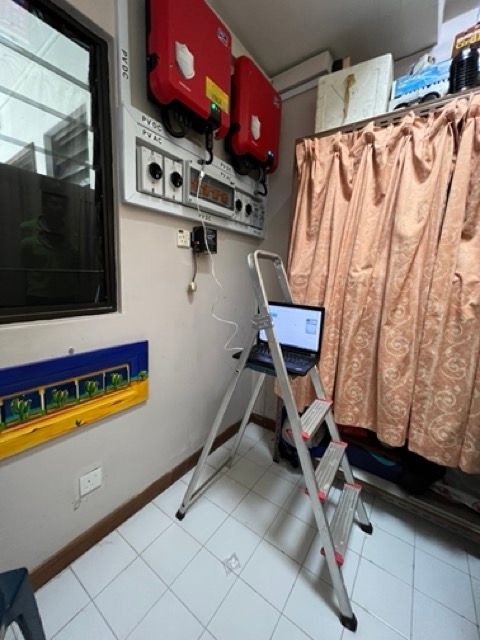
How to Know If It’s a Blackout or Inverter Fault
Here’s how to differentiate:
-
Total power outage across all sockets = likely blackout
-
Some areas still powered, or blinking red/yellow lights = potential system fault
-
Inverter screen showing “No Grid” or “Grid Fault” confirms external issue
You can also check SP Group’s outage portal or ask your neighbours if they are affected.
Do I Still Get Power from My Panels During a Blackout?
Unless your system includes a hybrid inverter and battery backup, you will not receive power during a blackout. Standard grid-tied systems stop generating energy during outages. If you have a backup system, only the essential load circuit (e.g. fridge, lights, fan) will continue to receive solar or battery power.
What to Do During a Blackout
-
Ensure all breakers and isolators are in the ON position
-
Do not reset the inverter during a confirmed grid outage
-
If you have battery backup, switch to emergency load mode if needed
-
Call SP Group at 1800-778-8888 to report or confirm outage
-
Use torch lights or UPS systems for interim backup power
-
Wait until grid power is restored before resetting your solar system.
After Power Returns – Resetting Your System
Once power returns:
Your inverter should automatically detect the grid and resume operation
If it doesn’t start within 2–3 minutes, perform a soft restart:
-
Turn OFF the inverter
-
Turn OFF the DC isolator and solar breaker
-
Wait 30 seconds
-
Turn ON the DC isolator, then breaker, then inverter
Monitor status lights or screen for confirmation If the system remains offline, contact your solar provider for further inspection.