Inverter Not Powering On
Troubleshooting guide for solar inverters that do not turn on. Learn the common causes of startup failures, how to safely inspect your inverter and power supply, and when to call a licensed technician in Singapore.
Table of Contents
Why Your Solar Inverter May Not Power On
If your solar inverter is not turning on, it typically means it is not receiving power from the AC grid, the solar panels, or both. Inverter shutdowns can happen due to a tripped breaker, disconnection at the isolator, or a fault within the inverter itself. In most cases, the inverter will appear completely off: no lights, no screen display, and no sound. This is a clear sign that either the incoming power supply is disrupted or the unit is internally damaged.
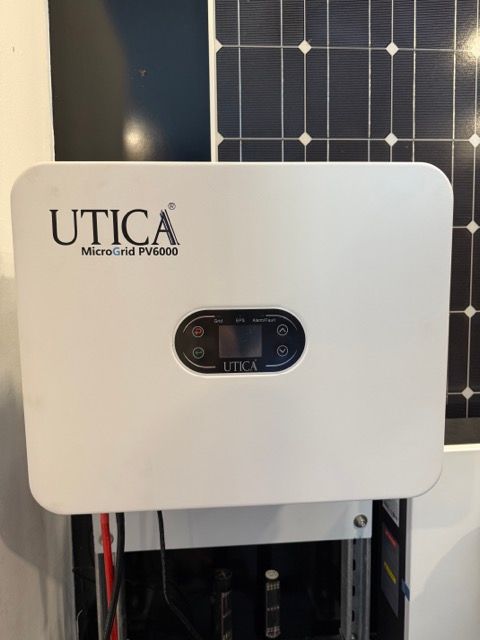
Common Reasons Why Inverters Fail to Start
These are the most common reasons inverters fail to power up:
-
AC power is unavailable: Due to a tripped MCB or blackout
-
DC Isolator is OFF: Disconnecting power from the solar panels
-
Main switch is OFF – on the inverter or in the DB
-
Internal component failure such as blown capacitors
-
Lightning or surge damage especially during storms
-
Aging hardware: older inverters may shut down from wear
Understanding the root cause is the first step before attempting a reset.
What to Check Before Attempting a Restart
Before attempting to restart the inverter:
-
Check your distribution board (DB) to ensure the solar MCB is in the ON position
-
Ensure the DC isolator near the inverter is switched ON
-
Look at the inverter’s main power switch: It should also be ON
-
Inspect for signs of storm damage or water around the inverter
-
Confirm that your household has no power outage (especially after heavy rain)
If all switches are ON and your home has power, but the inverter is still off, proceed to the next step.
How to Safely Restart Your Inverter
Step 1: Turn off all nearby high-load appliances to reduce sudden load stress
Step 2: Switch OFF the DC isolator and the solar MCB
Step 3: Wait for 30 seconds to 1 minute
Step 4: Turn the DC isolator ON first, then the solar MCB, then the inverter switch
Step 5: Watch for any LED activity or screen display. Most inverters will take 1–2 minutes to boot up and synchronise with the grid
If no lights or signs of life appear, do not retry multiple times. It may indicate internal damage
What Inverter Indicators Mean During Startup
During startup, look out for:
-
Blinking green light: System is booting
-
Solid green light: Inverter is online and generating
-
Blinking red/yellow light: Fault or error detected
-
No lights at all – power is still not reaching the inverter
If you see a fault indicator, take note of any error code shown and refer to the manufacturer’s manual or contact your installer.
When to Call a Professional
Call a licensed technician if:
-
The inverter does not turn on even after confirming all switches are ON
-
There is a burning smell, buzzing sound, or visible damage
-
You see a persistent fault light or repeating error code
-
The unit powers on briefly but shuts down again
In Singapore, any repair to inverters or solar DBs must be carried out by a Licensed Electrical Worker (LEW). Avoid opening the inverter casing or tampering with wiring.
Preventing Inverter Power Failures
To prevent future inverter shutdowns:
-
Install the inverter in a dry, shaded, and well-ventilated location
-
Clean the inverter casing regularly to prevent dust buildup
-
Avoid running large appliances on the same circuit if possible
-
Schedule yearly system servicing and firmware updates
-
Install surge protectors to guard against lightning damage
Proactive care extends the life of your inverter and helps reduce long-term maintenance costs.