Unexpected Shutdowns
Troubleshooting guide for unexpected inverter shutdowns in solar PV systems. Learn common causes of inverter outages in Singapore, how to assess the issue safely, and when to contact a professional.
Table of Contents
What Are Inverter Shutdowns?
An inverter shutdown refers to a situation where the device unexpectedly powers off or stops converting DC to AC power. This can occur during the day when panels are receiving sunlight but no electricity is flowing into your home or the grid. Inverter shutdowns usually indicate a problem with grid conditions, inverter settings, safety features, or hardware faults.
It’s also important to note that inverters, especially those in solar systems, can enter a sleep or standby mode, even during daylight. This typically happens when the solar panels are not producing enough power (e.g., during heavy cloud cover or early morning) or when the home’s electricity demand is low. The inverter enters this mode to conserve energy and reduce wear on internal components.
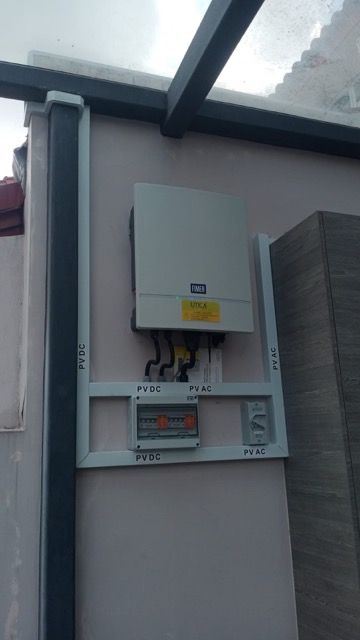
What Causes Inverter Shutdowns?
These are common reasons why inverters shut down in Singapore:
-
Over-temperature due to direct sun exposure or poor ventilation
-
Grid voltage or frequency fluctuations from SP supply
-
DC voltage outside limits from panel wiring issues
-
Power surges during thunderstorms or utility switchover
-
Firmware bugs or configuration mismatches
Identifying the likely cause helps decide whether a simple reset or acquiring professional help is necessary to resolve the issue.
First Things to Check After a Shutdown
After a shutdown, do the following checks:
-
Is the inverter screen or indicator light completely off?
-
Are your DB breakers (MCB or main switch) in the ON position?
-
Is the DC isolator on the roof or at the inverter still ON?
-
Are there signs of overheating (hot casing, ambient temperature)?
-
Did the shutdown occur during a storm or grid flicker?
-
This basic inspection helps determine if it’s a user-resettable issue or something deeper.
How to Safely Restart the Inverter After Shutdown
Follow this restart procedure:
-
Step 1: Turn OFF the inverter switch
-
Step 2: Turn OFF the DC isolator and solar MCB
-
Step 3: Wait 30 seconds
-
Step 4: Turn ON the DC isolator, then the MCB, then the inverter
-
Step 5: If successful, you should see the inverter lights come on and generation resume in 1–2 minutes.
-
Step 6: Monitor for stability
Signs That the Issue May Be More Serious
Call a professional if:
-
The inverter shuts down repeatedly within a short time
-
Fault lights or error codes appear during startup
-
The inverter is very hot to touch
-
There's buzzing, smell of burning, or signs of electrical damage
These may indicate internal failure or safety circuit lockout requiring expert servicing
How to Prevent Future Inverter Shutdowns
To reduce the risk of shutdowns:
-
Install the inverter in a shaded, well-ventilated area
-
Keep the unit clean and dust-free
-
Schedule yearly maintenance and firmware updates
-
Add surge protection to defend against lightning or grid spikes
-
Avoid overloading the inverter beyond rated specs
Proactive care and proper system sizing can greatly enhance reliability.